

The biggest product release we’ve ever made
After a year of hard work, our team is proud to hand the new Scribe over to you.We started again from a blank page. We believe it’s always better to rebuild than to stitch together a mountain of quick fixes. It’s a longer path, but the result is harmonious from beginning to end.We know nobody screams with joy when they’re handed the mission of solving email signatures for their company. If we can remove that problem from your to-do list in a simple, playful and human way, then we’ve reached our goal.Since the creation of Scribe, our product philosophy has stayed the same: build a product with few features, but do each of them extremely well.Instead of dozens of features that work averagely, we’d rather craft a few that work perfectly in every use case. Our goal is that feeling of “I love this product. It simply does what it’s supposed to do.”We’ve been chasing that goal for six years. Thank you for staying with us along the way. We know the experience hasn’t always been smooth, between a confusing interface and the bugs you may have run into. With this new version, we believe we’ve reached that goal. We crafted it with care, for you. We hope you like it.Brand refresh and user interface
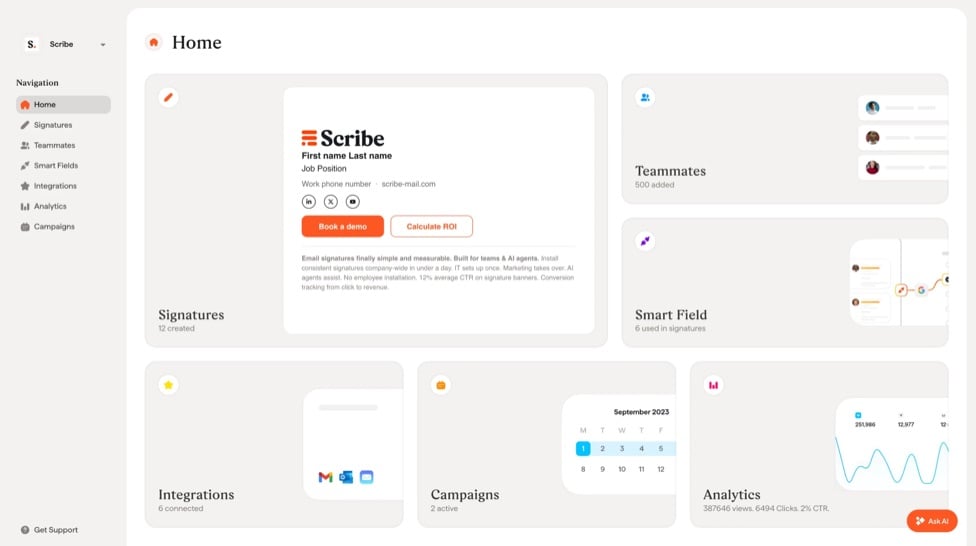
- Redesigned contrast and proportions between elements for better readability and navigation in every section of the app.
- Built a design system with newly designed components, for harmony and cohesion throughout the app.
- Optimized the design for different screen sizes and color displays.
- Introduced a new font that better reflects the personality of the Scribe brand.
- Added a color code for each section, so it’s easier to associate a category with a page.
- Introduced animations across the app for a nice, organic feeling when you interact with the product.
- Simplified most flows to remove as many clicks as possible.
AI agents
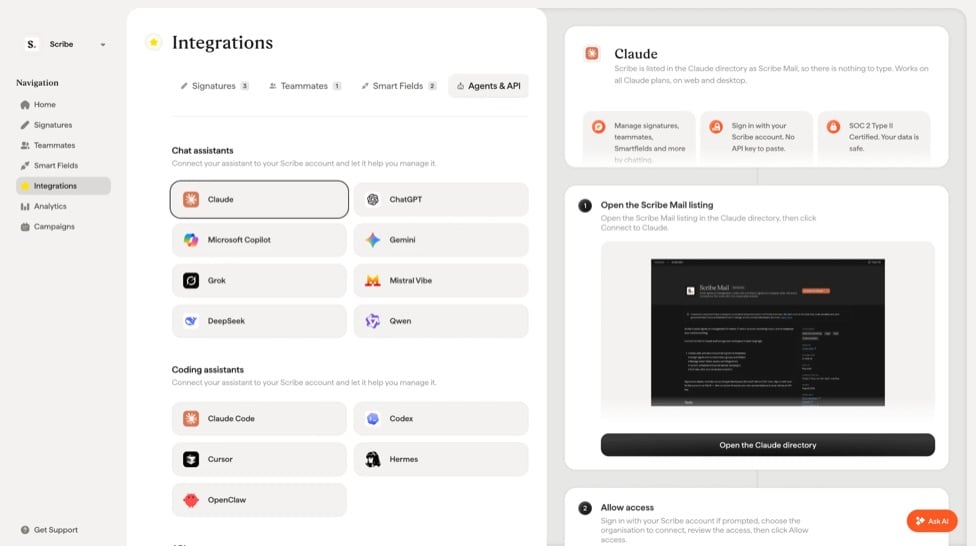
Scribe is now designed to work with your favorite AI agent (ChatGPT, Claude…). Your agent can manage everything in your Scribe account: create or edit signatures, audit installation status, create marketing campaigns. There’s no limit to what you can do. Just ask in plain English.Manage Scribe from your AI agent
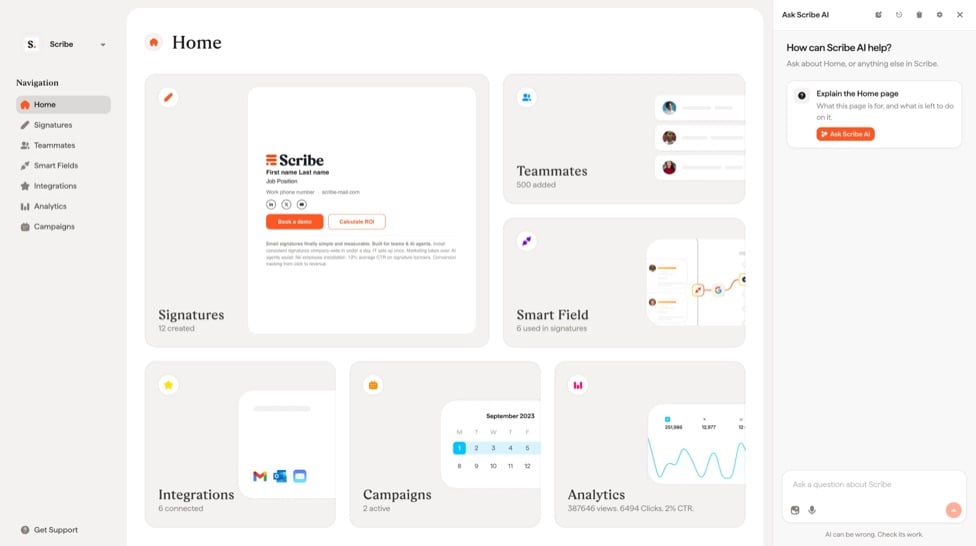
Manage Scribe with the in-app Scribe AI agent
Signature editor
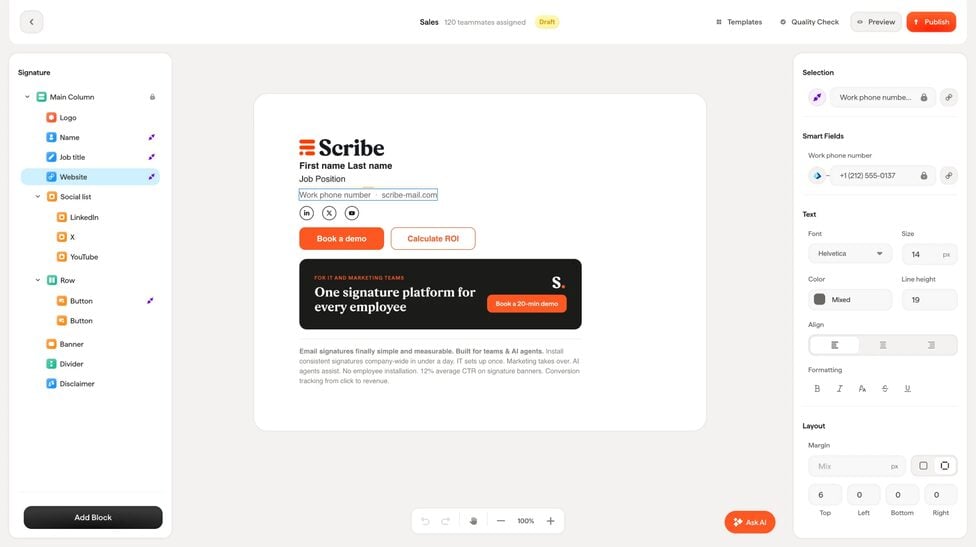
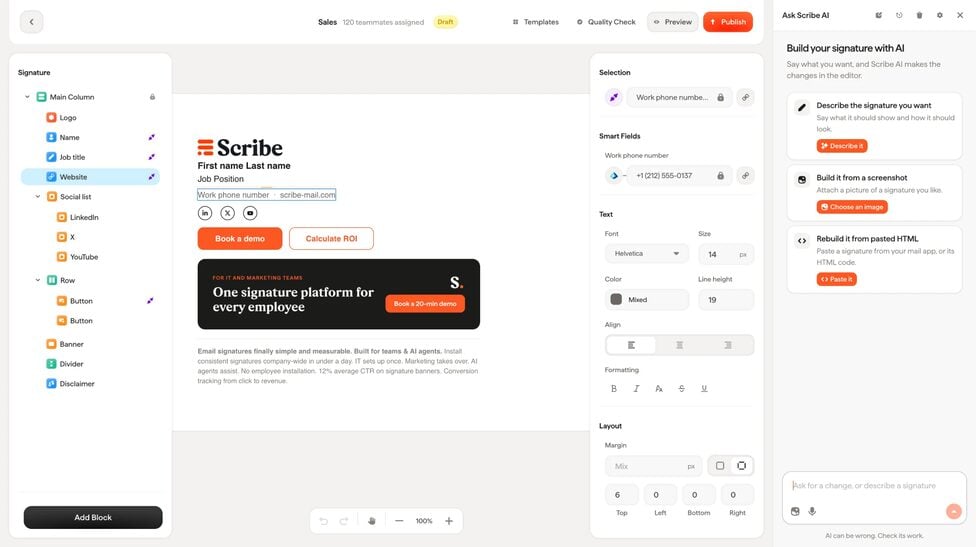
- New columns and rows you can customize as you wish (margin, background, alignment, etc.).
- A dozen new marketing blocks.
- Click any element, and all its styling and smart field settings are in the panel on the right.
- We added padding, margin and alignment options, so you can finally center elements in a row or column ;)
- You can upload your own icons directly to our icon library!
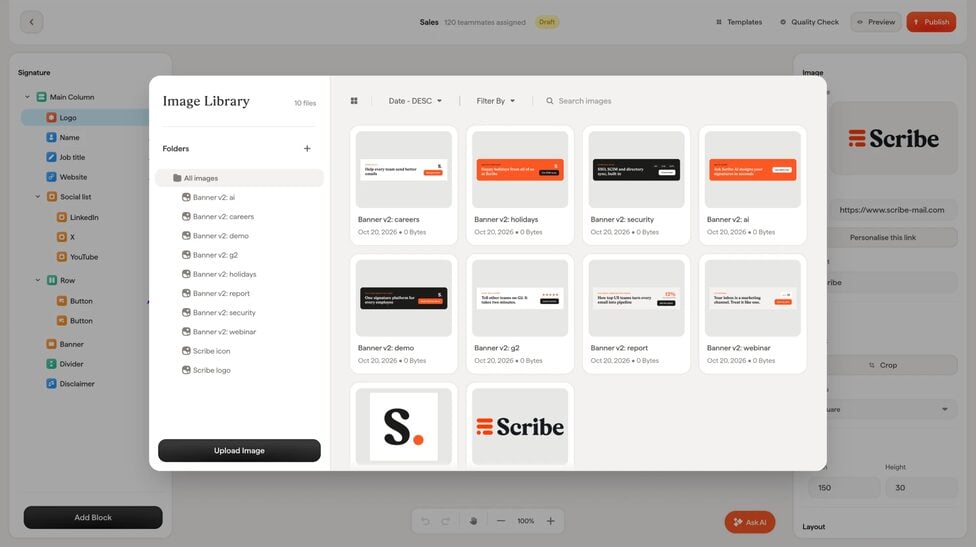
- As requested, we built an image library with folders, so you can organize your images the way you like.
- A remove background feature to clean up images directly in Scribe.
- Dark mode is here! Upload one image for light mode and one for dark mode, and the right one shows automatically based on the recipient’s email client.
- New sources to sync images from: Google Drive, Dropbox, OneDrive, Box and more.
Signatures
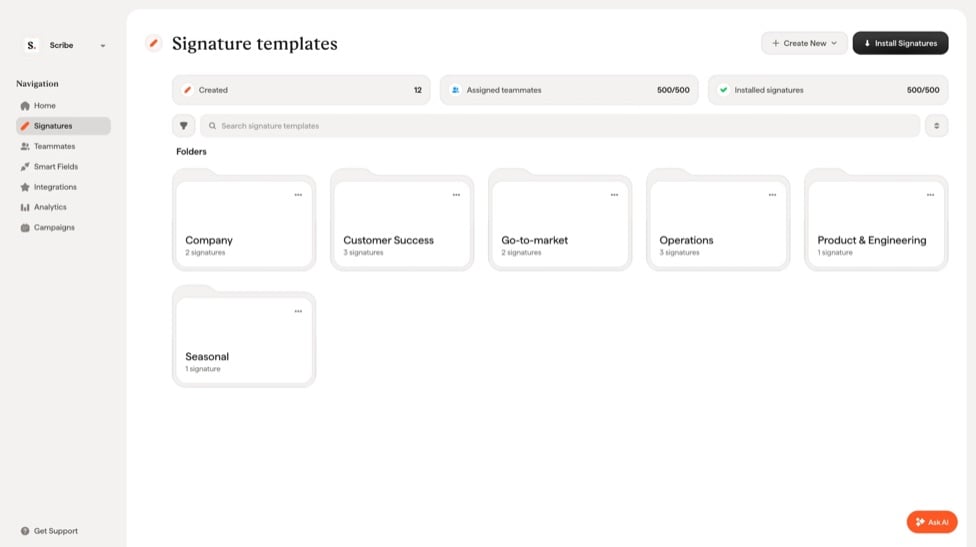
- Added filters for long lists of signatures.
- Simplified the installation process.
Teammates
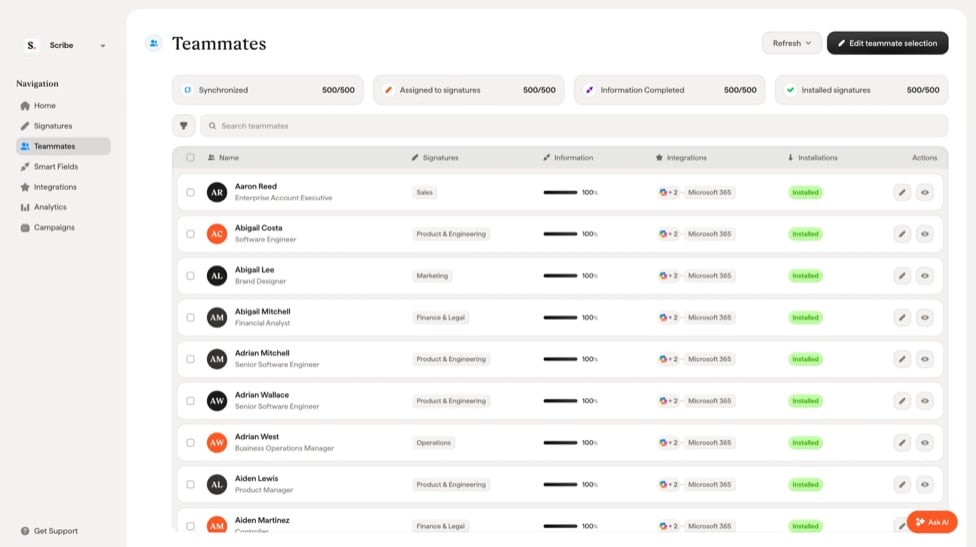
- Cleaned up the top card so the overall information is easier to scan.
- Added filters you can combine to quickly isolate a group of teammates and see the status of their signatures.
- Brought signature status and source into the table, so it takes fewer clicks to reach that information.
- Added a smart field completion overview, so you get all the information at a glance.
- Teammate profiles now show smart field values (previously called attributes) instead of badges, so you see the information directly.
- Faster search for accounts with thousands of teammates.
- Faster teammate sync from your email provider for large accounts. You shouldn’t wait more than a minute now, even with 5,000+ employees.
Smart fields
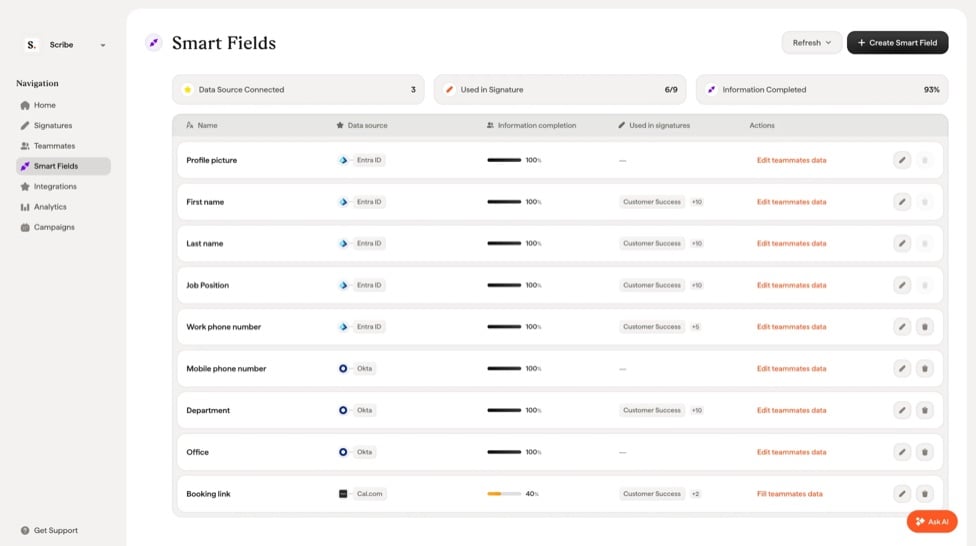
- Renamed “Attributes” to “Smart fields” to use less technical language.
- Merged the tables into a single, simpler view.
- Simplified creating and editing smart fields.
Integrations
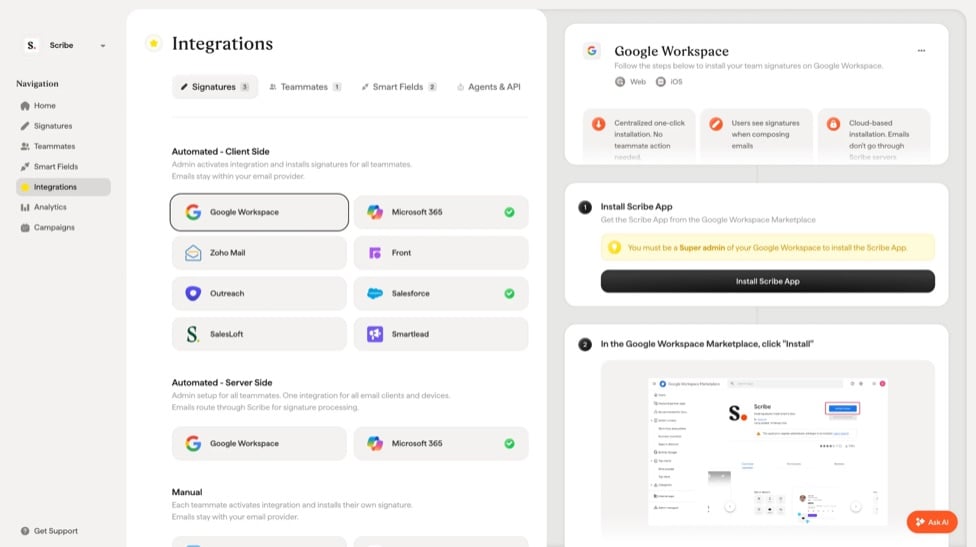
- Rewrote all integration guides to make them clearer, quickly answering who, what and how.
- Moved several integrations (such as Front) to OAuth instead of API keys.
- New signature integrations: Smartlead and Zoho Mail.
- New teammate integration: Zoho Directory.
- New smart field integration: Cal.com.
- AI agent integrations: Claude, ChatGPT, Microsoft Copilot, Gemini, Mistral, Cursor, Grok, Claude Code and Codex.
Analytics and marketing campaigns
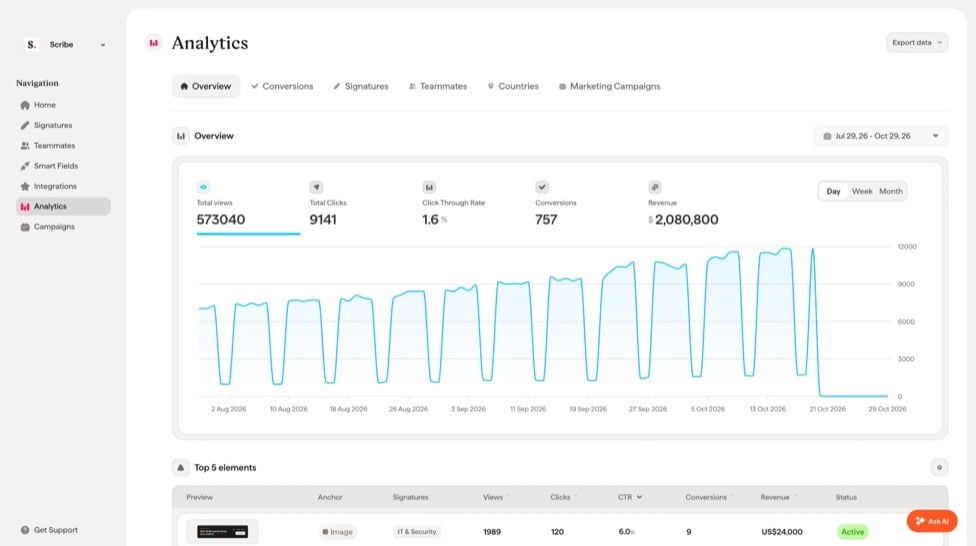
- Simplified all table views.
- Simplified the marketing campaign creation flow.
- You can now keep the existing marketing blocks in your signature while adding new ones for a campaign. For example, keep your “Book a demo” button while adding a banner for your latest product release.
- You can now automatically notify your team by email when a campaign goes live, so they don’t flood you on Slack or Teams asking why their signature changed.
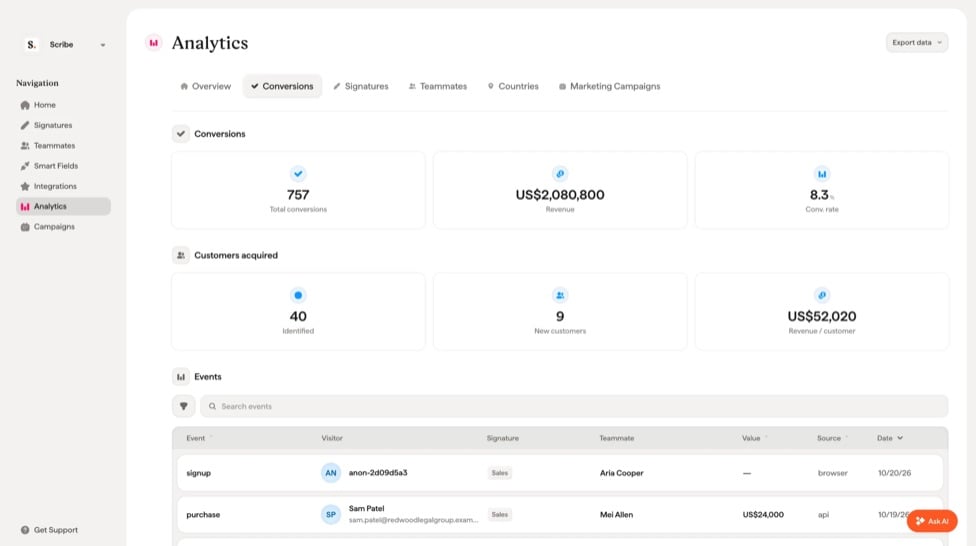
Conversion tracking
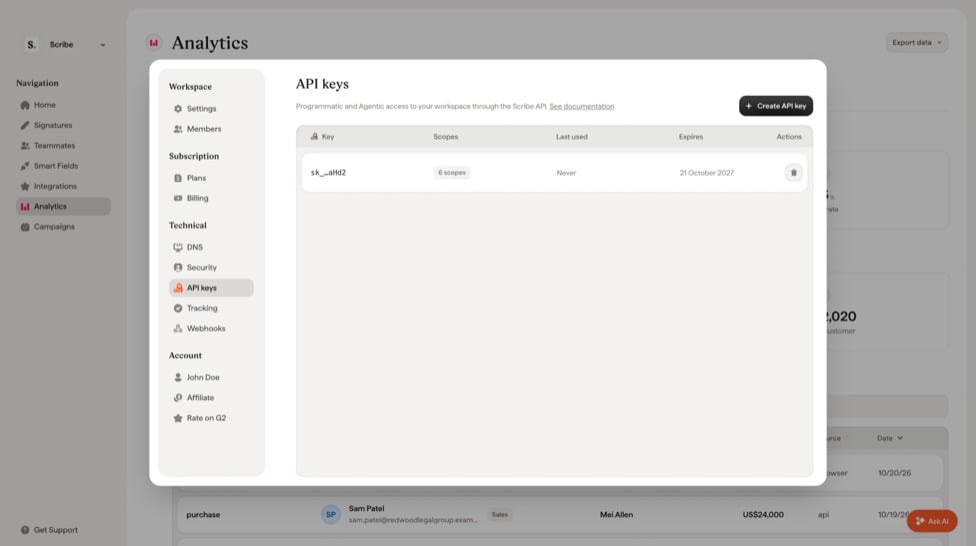
API
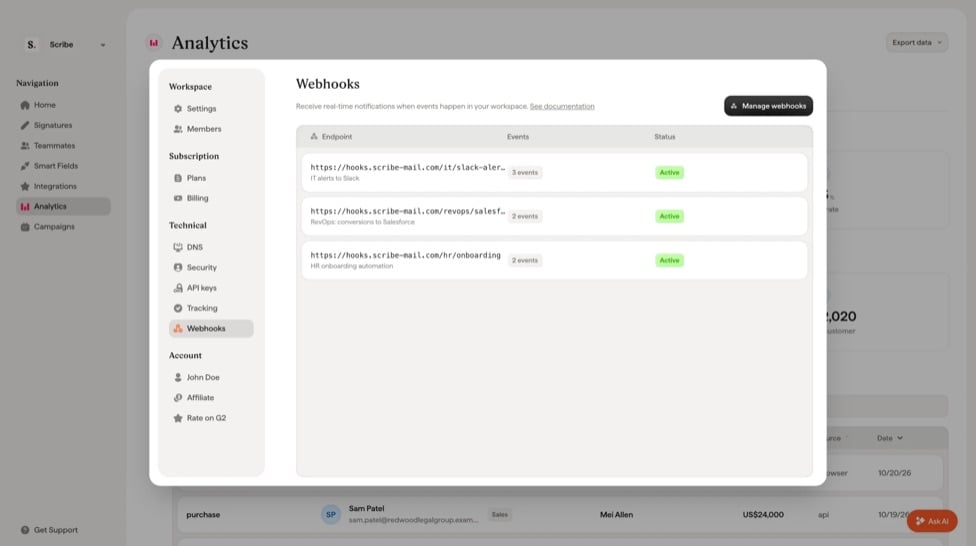
Webhooks
Settings
BillingAdded more information to your billing table, so you have everything you need to understand your invoices. Learn more.AffiliateAll your performance is now visible in Scribe, no need to log in to our provider’s platform. If you haven’t joined the Scribe affiliate program yet, you can do it directly in Settings. Learn more.Infrastructure
- Migrated our entire infrastructure to Cloudflare for faster signature loading in email clients and stronger security.
- Rebuilt our authentication backend from the ground up for better reliability and speed.
- Did extensive cleanup and refactoring across the app, so we can iterate faster while keeping everything running smoothly.
- New desktop app for better performance.
- Security: we successfully renewed our SOC 2 Type 2 certification. Visit our trust center.
- Moved to ClickHouse for faster data collection and analytics.